PocketTerm35 OS
This desktop makes the Waveshare PocketTerm35 easy to use. It replaces the regular Linux desktop with a pocket-sized one, where every app runs full screen and the D-pad drives everything.
The Waveshare PocketTerm35 is a Raspberry Pi with a 3.5-inch screen, a thumb keyboard, and a D-pad. Standard desktop environments are built for large monitors. On PocketTerm35 small screen, windows don't fit well and title bars eat up too much space.
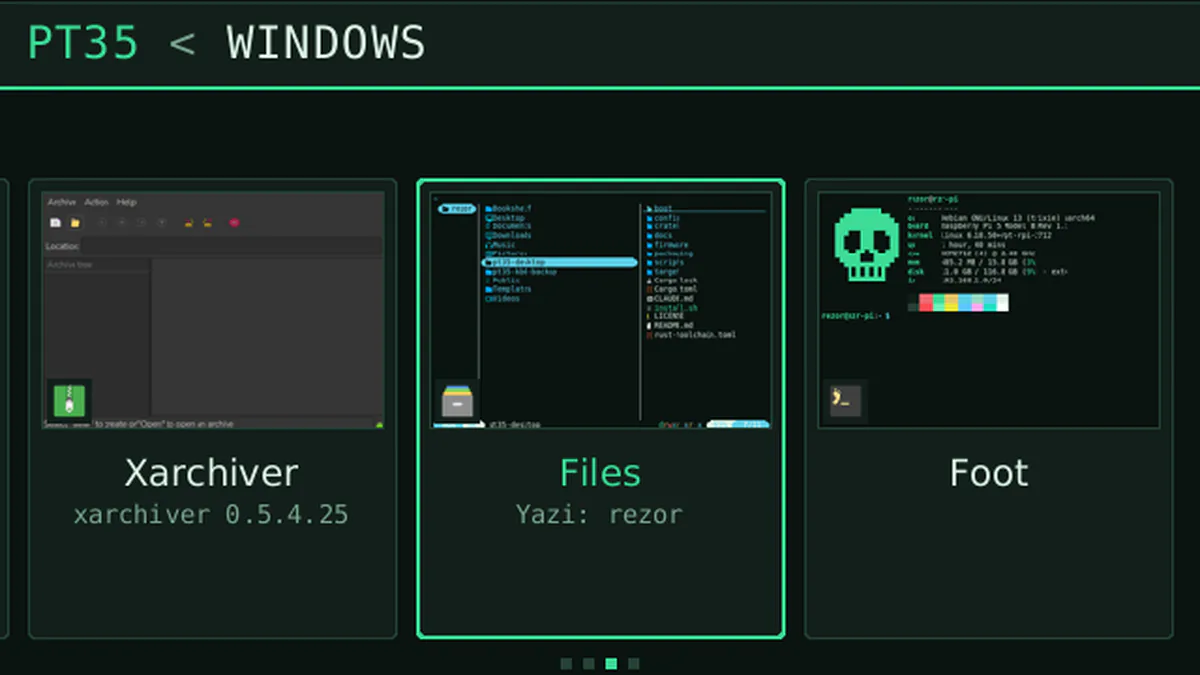
PocketTerm35 OS gives every app the whole screen and puts everything else into one menu. The launcher lists your recent and pinned apps and supports text search. A taskbar and a window switcher with live previews let you jump between apps. In "buttons mode," the D-pad and the A, B, X, and Y buttons control the interface. Press R for mouse mode to turn the D-pad into a cursor, with clicks and scrolling mapped to the buttons. Touch and external mice work too. Quick settings provide easy access to Wi-Fi, Bluetooth, volume, brightness, and CPU power profiles.
Standard Linux apps still run, and the menu opens in under a tenth of a second. You can also install DarkWire, a local AI agent, with a single command.